
Signing In to an Existing Time4Bets Account
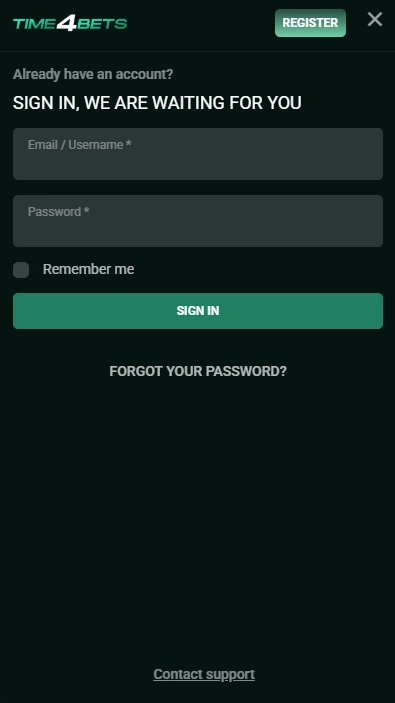
Returning players can go directly to the login form. Enter the username and password associated with the account, then complete the additional authentication step if it is enabled.
- Open the Time4Bets sign-in window.
- Type your account credentials and check for accidental spaces or incorrect letter case.
- Enter the current authenticator code if two-factor authentication is active.
- Review your account details once access is restored.
Use your existing account even if it has been inactive for some time. If the credentials are no longer familiar, follow the recovery process before considering a new registration.
Activate Your Email and Protect Your Account
For a newly created account, begin with the confirmation message sent to your registered email address. Follow the activation link, then return to the login form. If the message is missing, look in spam and check the address entered during registration.
After your first successful login, review the personal information in your profile. Your name should match your identification. Set a password used only for this account and enable two-factor authentication where available. Keep any recovery codes somewhere secure and accessible to you.
Password Resets and Other Access Problems

Choose the recovery route that matches the problem. Resetting a password will not resolve a lost email account or an unavailable authenticator.
For a forgotten password, use the reset option on the sign-in screen. Open the message in your confirmed inbox, choose a replacement password and return to the login form. If the email does not arrive, check spam before contacting support.
If you can no longer access the registered inbox or the device used for authentication, ask support about account recovery. Have your account information ready and expect an ownership check before access can be restored.
| Problem | What to do |
|---|---|
| Password no longer works | Request a password-reset email and create a new password. |
| Confirmation or reset email is missing | Check spam and the registered email address, then contact support if needed. |
| Registered inbox is inaccessible | Ask support which ownership checks are needed for recovery. |
| Authenticator device is lost | Contact support for the available two-factor authentication recovery procedure. |
Protect your email account as carefully as your betting account. Access to that inbox is part of the password-recovery process. Avoid creating a duplicate account to work around a login problem.
Before Registration: Details Worth Preparing
A little preparation reduces corrections later. Use information that belongs to you and that you can support with documents when verification is requested.
- Working email address: choose an inbox you control and expect to keep using.
- Suitable username: select a public name you are comfortable showing to other players.
- Unique password: keep it different from your email password and other account passwords.
- Account currency: decide before submitting the form.
- Photo identification: prepare a valid document with readable personal details.
- Proof of address: have a recent statement or utility bill available.
- Your own payment method: use payment details registered in your name.
If you remember signing up previously, recover that account through support. Multiple registrations can create account restrictions and difficulties accessing balances.
Registering at Time4Bets Without Avoidable Errors
Open the sign-up form and complete the requested fields. Enter your email carefully, choose your login credentials and review the currency setting. Read the account terms and consent options before submitting.
Check the form a second time while corrections are still easy. A mistyped email can prevent activation, while personal details that differ from your ID may need attention during verification.
After submission, look for the confirmation email. Activate the account through that message and keep using the same credentials for future desktop and mobile logins.

Why the CAD Currency Setting Deserves Attention

Choose the balance currency before completing registration. The account setup described here fixes that choice after sign-up, so it should suit how you plan to fund and use the account.
CAD can make balances and offer thresholds easier to follow when your usual payment account is also in Canadian dollars. If the payment and account currencies differ, review the conversion rate and any fees charged by your provider.
Language and balance currency are separate choices. Changing the interface language does not change the currency attached to the account.
Identity Checks Before a Withdrawal
Registration creates the account; verification establishes the identity behind it. Prepare your documents early so an incomplete review does not become a surprise when you request a payout.
Have a valid photo ID and proof of address dated within the last three months ready. A payment-method check may also require a masked card image. Follow the specific upload instructions in your account, including the details that must remain hidden.
- Show all required document edges in the photograph.
- Make the name, dates and address readable.
- Avoid glare, dark shadows and blurred text.
- Use address evidence within the requested date range.
- Ask support to resolve personal-detail mismatches.
You may need to provide a replacement image or an additional document. Keep copies organised and respond to the request shown in your account rather than repeatedly uploading the same unsuitable file.

Review the Deposit and Bonus Choices Before Paying

Once the account is ready, open the cashier and compare the supported payment methods. Check the amount, currency and any provider charges before moving to confirmation.
If you want a welcome offer, review the promotion attached to your deposit step. Slots, sports and blackjack offers can have different match rates, qualifying amounts and playthrough rules. Use the terms displayed for the specific offer you are selecting.
Compare the bonus amount in CAD as well as the percentage. Check the maximum award, wagering requirements, eligible games, free-spin conditions and any cashout restriction. A larger deposit does not automatically increase a capped bonus.
A Final Check at the Cashier
- Choose a payment method held in your own name.
- Enter an amount that meets the selected promotion requirements.
- Select the intended bonus option before approving payment.
- Read the offer restrictions and review the transaction total.
- After confirmation, check your balance and the active promotions area.
Do not assume an omitted bonus can be added afterward or that a selected track can be changed once the deposit is confirmed. If the cashier or offer details are unclear, contact support before completing the payment.
Time4Bets Canada: Common Account Questions
Only gamble where you meet the applicable legal-age and location requirements. Set a spending limit, take breaks and seek help if gambling becomes hard to manage.