

How to Create an Account
Registration begins with the Register button, which sits next to Log in at the top of every page. The operator sets one firm condition: it must be the first and only account of the person registering. Duplicate accounts are not allowed, and the Help Centre names this as the condition for joining. The procedure itself is short:
- Select Register in the header of the site;
- Complete the registration form with accurate personal details;
- Review the Terms and Conditions and the Privacy Notice, which are linked at the bottom of the site;
- Submit the form and sign in with the chosen credentials.
The Help Centre does not publish a list of the individual fields, so they are not enumerated here; the form itself shows what is required at the time of registration. What can be said with certainty is that the details must be genuine. They are later compared with the documents requested during verification, and any change to personal information after registration is made only through customer support. It seems wise, therefore, to enter names and dates exactly as they appear in an identity document. A reader who decides to register may wish to prepare these details beforehand.
How to Log In
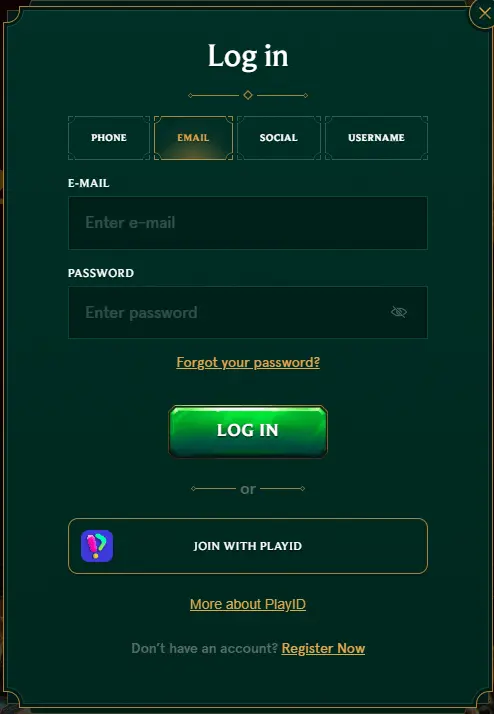
The Log in button is located in the header, beside Register. According to the Help Centre, access is granted with a username or the registered email address together with a password, which the Help Centre also refers to as a PIN. No other sign-in method, such as login through a social network, is described on the official site. The password is case-sensitive. When a login attempt fails, the operator recommends a few simple checks before contacting anyone:
- make sure the username or email address is entered correctly;
- check the password and confirm that Caps Lock is switched off;
- if the password was changed recently, clear the browser’s cookies and cache;
- try a different browser.
If access is still refused, the matter goes to customer support. The operator asks that a screenshot of the error message be attached to the request, which shortens the exchange considerably. One account serves all sections of the platform, so there is no separate login for the sportsbook or the live casino. A reader may wish to store the credentials in a private place rather than in a shared browser.

Password Recovery and Account Access
A forgotten password is restored through the site itself. The reader selects the forgot password option in the login window, enters the registered email address in the pop-up that opens and receives an email with instructions for resetting the password. If the message does not arrive, the Help Centre advises contacting support, who will send a new password to the registered email address. In both cases access is restored only through that address, which is why it should remain under the owner’s sole control.
Other situations are handled by support directly. A forgotten username or registered email address cannot be recovered through a form; the account holder contacts the support team for it. The same applies to updating personal information and to reopening an account that was closed earlier. The Help Centre also covers the deactivation of an account. None of these requests is handled by an automated form; they pass through the support team. It may be prudent to note the registered email address in a safe place at the time of registration.
Verification and Account Security
Verification is a standard part of holding an account. The operator explains that it serves the security and integrity of accounts, and that deposits or withdrawals may be restricted until it is completed. The documents that may be requested are listed in the Help Centre; the list is described as not exhaustive and may vary from case to case.
| Document | Requirement stated by the operator |
| Identity document | Valid, clearly legible and not expired |
| Proof of residence | Issued within the last 3 or 6 months, depending on the review |
| Proof of ownership of payment methods | Requested for the methods used on the account |
| Transaction history | Bank, e-wallet or card statements, typically for the last 1 to 3 months |
Once all requested documents have been received in full, verification is typically completed within 24 to 48 hours, although more complex reviews may take longer. There is no need to contact support after a successful upload; the review begins on its own, and the operator writes to the customer if anything further is required. Documents may be rejected, and the Help Centre has a separate article on the possible reasons. Withdrawal requests, for reference, are processed within three business days and are paid out after the required verification and security reviews. It is sensible to prepare clear copies in advance rather than at the moment of a first withdrawal.
Mobile Login and Support
On a mobile device the login is the same as on a computer: the same Log in button, the same username or email and password, the same account. The official site confirms one format of mobile access – a home-screen shortcut added through the Create Shortcut page. On Android it is created from the browser menu with the Add to Home screen command, and on iPhone or iPad through the share icon; a downloadable application from an app store is not described on the official site. For privacy, the usual precautions apply: a locked screen, no saved password in a browser used by others and signing out at the end of a session.
Support is available 24 hours a day through live chat and by email at [email protected], and the Help Centre has a dedicated section on accounts and verification. The same channels are used for requests of a more personal kind: a break from gaming or self-exclusion is arranged through support, and the operator treats gambling as leisure with uncertain results, never as income. Readers are reminded to confirm that such activity is permitted in their jurisdiction before registering. Those who proceed may find it helpful to keep the support contacts at hand from the first day.